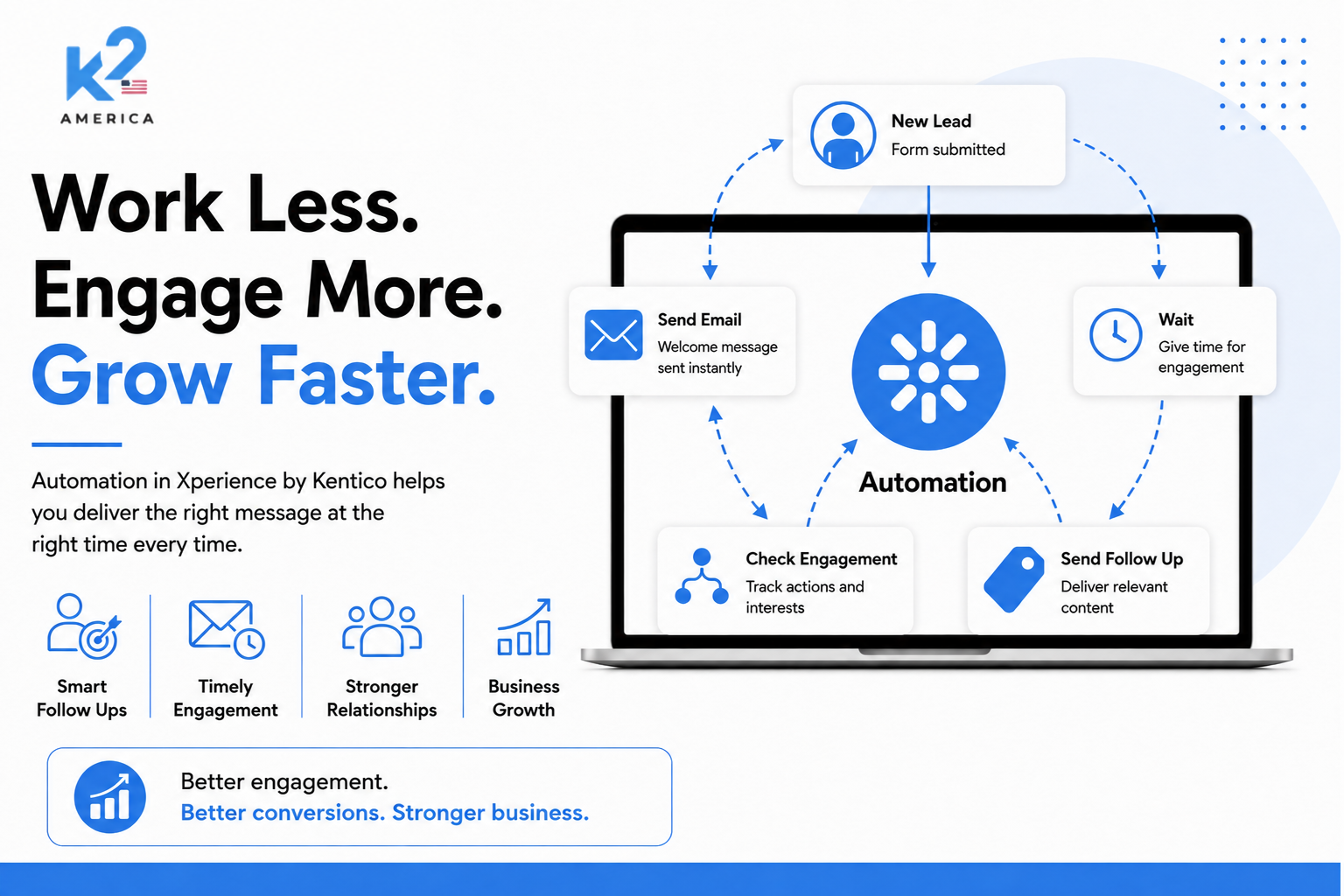
The real problem is rarely a lack of emails. It is the gap between what a customer does, what the business knows, and what happens next.
A prospect visits an important service page, downloads a guide, opens an email, returns to the website, and finally requests a consultation. From the customer’s point of view, that is one journey. Inside many organizations, however, those actions are scattered across separate tools, spreadsheets, inboxes, and teams.
That is where growth starts to leak. Marketing cannot tell which interactions show genuine intent. Sales receives incomplete context. Follow-ups happen too late or not at all. Customers receive messages that do not reflect what they have already done.
Xperience by Kentico can help solve this, but only when its digital marketing capabilities are designed as one connected system. Contact Management captures the customer context. Customer Journeys show progress toward a meaningful outcome. Marketing Automation responds to the right triggers. Email Marketing delivers the communication. Custom development connects the platform to the wider business stack.
1. The business problem is disconnected customer signals
Many companies already have a CMS, an email platform, a CRM, and analytics. Yet the customer experience still feels fragmented because each system sees only part of the story.
- Website activity is visible, but it is not connected to lead status or follow-up.
- Email campaigns run, but recipientselectionis based on static lists rather than current behavior.
- Sales teams receive form submissions without knowing what the person viewed before converting.
- Marketing reports clicks andopens, butcannot see where contacts are progressing or dropping out of the journey.
Adding another generic automation sequence does not fix that. The organization needs a shared model of the contact, measurable journey stages, and clearly defined actions that happen when customer behavior changes.
2. How Xperience by Kentico connects the journey
Xperience by Kentico brings these capabilities into the same digital experience platform. The important value is not any one feature on its own. It is how they work together around a contact.
Capability | What it does in Xperience | Business value |
Contact Management | Builds a centralized contact profile from known data, tracked activities, consent, subscriptions, and project-specific fields. | Gives marketing and sales a more useful picture of each person’s context and intent. |
Customer Journeys | Defines measurable stages and progression conditions, then visualizes how contacts move toward a conversion. | Shows where prospects advance, stall, or leave the journey. |
Marketing Automation | Moves individual contacts through triggered steps such as email, waiting periods, conditions, contact updates, and custom actions. | Creates timely follow-up without relying on manual execution. |
Email Marketing | Uses email channels, recipient lists, contact-group filtering, templates, and Email Builder content. | Delivers controlled, brand-consistent communication to the right subscribed audience. |
Customer Journeys and Marketing Automation are especially easy to confuse. A journey is the measurement and visualization layer: it shows whether contacts reach defined stages. Automation is the action layer: it performs the follow-up when a trigger occurs. A strong implementation uses both, rather than expecting one feature to do the other’s job.
3. Turning content interest into a sales-ready conversation
Consider a technology company that offers a downloadable implementation guide. The business does not want to send the same three emails to everyone who completes the form. It wants to recognize stronger intent, educate early-stage prospects, and give sales better context when a lead is ready.
Step 1 — Capture the signal. A visitor submits the guide form. Xperience associates the activity with the contact profile, subject to the organization’s tracking and consent setup. The submission can start an automation process.
Step 2 — Deliver immediate value. The first automation email provides the guide and directs the contact to the most relevant next resource. The email is prepared within an Xperience email channel using the organization’s templates and approved content components.
Step 3 — Allow time, then check context. A Wait step pauses the process. A Condition step can then evaluate available contact data, subscription status, consent, or project-specific fields. The contact does not need to receive the same message as everyone else.
Step 4 — Respond to buying intent. A contact who returns to a pricing, migration, or consultation page can enter a dynamic contact group or meet a journey-stage condition. A more relevant case study or consultation invitation can follow. Lower-intent contacts can remain in an educational path.
Step 5 — Create a meaningful handoff. The process can set a lead-status field or log a custom activity. Where the business needs a CRM handoff, lead-routing rule, scoring model, or internal notification, developers can add a custom automation step or integration.
Step 6 — Measure the journey. A Customer Journey can track stages such as Guide downloaded, High-intent content viewed, Consultation requested, and Sales conversation started. Marketing can see where progression slows instead of judging success only by email opens.
The outcome is not simply “more automation.” It is a cleaner path from anonymous interest to qualified engagement, with fewer manual gaps and better context for the sales team.
4. Onboarding members without losing the human touch
For an association, training provider, or membership organization, the problem is often different. New members register, but many never discover the resources that would help them see value quickly.
In Xperience, an activated member registration can trigger a structured onboarding process. The first message can welcome the member and explain where to begin. A waiting period can create breathing room. Later messages can point to a protected resource, profile-completion task, webinar, or community area. Journey stages can show how many members move from registration to meaningful participation.
A custom activity can represent an organization-specific milestone, such as completing onboarding or attending an orientation session. That activity can update a contact group, trigger another process, or help the team identify members who need re-engagement.
The communication still feels human because marketers control the message, timing, and branching. Automation simply makes sure the intended experience happens consistently.
5. Why implementation quality matters
Xperience provides the building blocks, but it does not make strategic and technical decisions on behalf of the organization. A weak setup can still create duplicate messages, confusing subscriptions, incomplete tracking, and journeys that look impressive but do not measure a real business outcome.
The most common problems usually appear in five areas:
- Journey stages arenamed broadlybut are not tied to measurable activities or conditions.
- Automation is treated as an endless newsletter engine, even though regular emails and recipient lists are better suited to ongoing campaigns.
- Contact groups and recipient lists are used interchangeably, creating unclear targeting andunsubscriptionbehavior.
- Custom activities, fields, and integrations are not designed early, so the platform cannot recognize important business milestones.
- Tracking and consent are added late, leaving gaps in the data needed for segmentation and personalization.
This is why companies often need more than platform configuration. They need a development partner who understands the customer journey, the marketing operating model, and the Xperience architecture behind it.
6. What a business-focused Xperience implementation should include
A useful engagement should begin with one high-value customer journey rather than a long list of features. The team can then map the business goal, required signals, communication rules, and technical dependencies before building anything.
- Journey discovery: define the audience, conversion goal, stages, drop-off points, and ownership across marketing and sales.
- Contact and activity design: decide which standard or custom activities, contact fields, consent records, and integrations arerequired.
- Automation architecture: configure triggers, recurrence rules, waits, conditions, emails, custom steps, and safe exit paths.
- Email setup: prepare the email channel, templates, Email Builder components, recipient lists, subscription flows, and contact-group filters.
- Integration work: connect CRM, event, membership, commerce, or internal systems where the journey depends on data outside Xperience.
- Testing and optimization:validateduplicate prevention, consent behavior, branch logic, email delivery, journey progression, and reporting before launch.
7. When Xperience by Kentico is worth considering
Xperience becomes especially relevant when a company has outgrown disconnected website and marketing processes. Typical signs include:
- Marketing and sales cannot see the same customer context.
- Form leads require manual routing and follow-up.
- Customers receive generic communication despite showingdifferent levelsof intent.
- The organization needs measurable journeys acrosswebsite,email, forms, membership, or headless channels.
- Existing automation tools send messages but do not connect cleanly with the content and digital experience platform.
- The business needs custom activities, integrations, or workflow logic that off-the-shelf templates cannot support.
In these situations, the discussion should not begin with “How many emails can we automate?” It should begin with “Which customer journey is costing us opportunities, and what would a connected experience look like?”
Turn one broken journey into a working Xperience solution
Planning an Xperience by Kentico implementation—or trying to improve an existing one?
Our team can help map the journey, configure the marketing foundation, build automation and email components, develop custom activities and integrations, and test the complete experience before launch. Start with one high-value journey and build from a clear business outcome.