
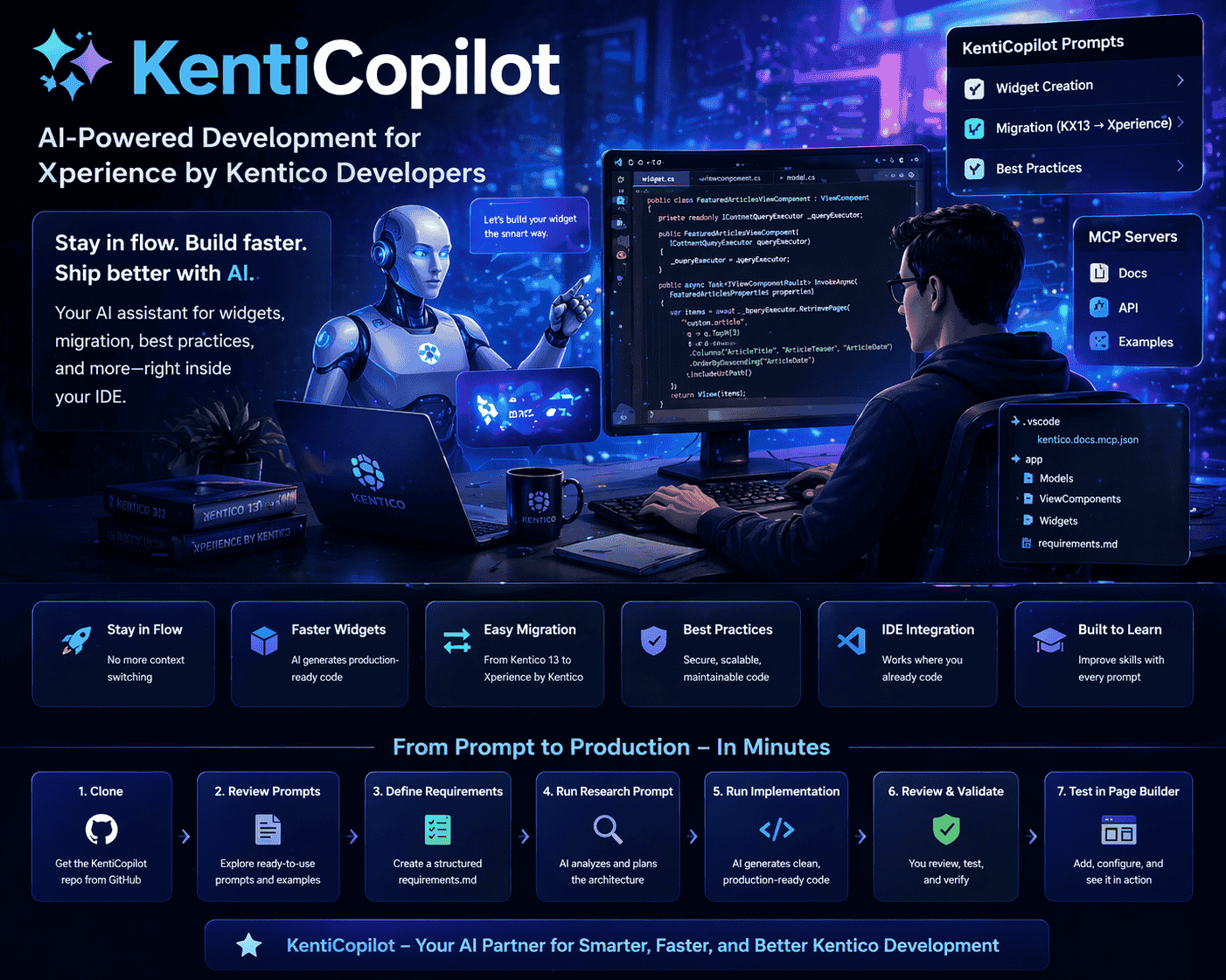
AI-Powered Development for Xperience by Kentico Developers
As a developer building digital experiences with Xperience by Kentico, maintaining development flow is critical. Constantly switching between documentation, examples, and multiple tools slows productivity and increases cognitive load.
KentiCopilot is designed to solve that problem.
What is KentiCopilot?
KentiCopilot is a developer focused AI initiative from Kentico that helps teams adopt AI responsibly and effectively while building Xperience by Kentico projects.
It is not just a single tool. Instead, it is an ecosystem that includes:
- AI-powered codingassistance
- Pre-configured, production-ready prompts
- Best practice guidance
- Migration support resources
- Real world implementation examples
If AIRA supports marketers inside the admin interface, KentiCopilot empowers developers inside their IDE.
Why KentiCopilot Matters
1. Stay in Flow
Developers no longer need to:
- Continuously search documentation
- Switch between browser tabs
- Manually verify API patterns
With AI assistants integrated directly in your IDE, KentiCopilot keeps context intact and reduces interruptions.
2. Faster Widget Development
KentiCopilot provides structured prompts for rapid Page Builder widget implementation, including:
- Proper content retrieval
- Correct API usage
- URL generation
- Caching strategies
- Error handling
- Styling alignment with Site.css
Instead of manually recalling platform specific details such as RetrievePages, IncludeUrlPath, or UrlPathColumns, the AI generates architecture-aligned code.
3. Simplified Migration from Kentico 13
Migration from Kentico Xperience 13 to Xperience by Kentico involves architectural changes.
KentiCopilot migration prompts help:
- Replace deprecated APIs
- Convert legacy content retrieval patterns
- Update business logic
- Modernize presentation layers
- Avoid common migration pitfalls
This reduces risk and shortens modernization timelines.
4. Built-In Best Practices
KentiCopilot encourages:
- Proper caching mechanisms
- Secure and scalable implementation
- Correct webpage content APIs
- Clean separation of concerns
- Maintainable architecture patterns
It helps you build correctly not just quickly.
Advantages of KentiCopilot
| Feature | Developer Benefit |
|---|---|
Context-aware AI | Reduces tool switching |
Ready-to-use prompts | Accelerates implementation |
Migration guidance | Lowers modernization risk |
Best practice enforcement | Improves code quality |
IDE integration | Maintains development flow |
Educational resources | Builds AI-assisted expertise |
Ready to Use Prompts Available
KentiCopilot provides structured prompts designed for popular AI coding assistants:
1. Widget Creation Prompts
These prompts help rapidly build Page Builder widgets aligned with Xperience architecture.
Supported AI assistants:
- GitHub Copilot
- Cursor
- Claude (Claude Code)
Capabilities:
- Research and architecture planning
- Model and view component generation
- Correct use of Retrieve Pages
- Handling Content Item Reference
- URL generation with Include Url Path
- Caching implementation
- Error handling (missing content, placeholder images)
- Styling integration
2. KX13 Project Codebase Migration Prompts
These AI prompts support migration from:
Kentico Xperience 13 to Xperience by Kentico
Supported AI assistants:
- GitHub Copilot
- Cursor
- Claude (Claude Code)
Migration Support Includes:
- Live site presentation migration
- Business logic refactoring
- API modernization
- Deprecated method replacement
- Content retrieval restructuring
- Performance and caching preservation
How to Use Ready-to-Use Prompts (Step-by-Step)
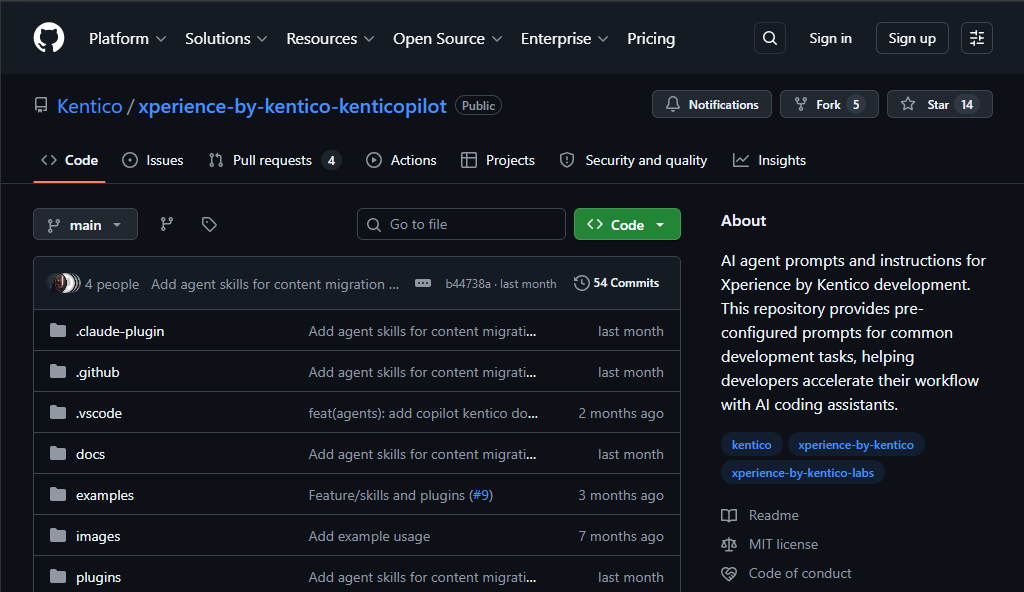
Step 1: Clone the KentiCopilot Repository (https://github.com/Kentico/xperience-by-kentico-kenticopilot )
- Go to the KentiCopilot GitHub repository.
- Clone it to your local machine.
- Review the README.md for setup instructions.
Download or clone the official repository and review the README for setup instructions.
Step 2: Review Available Prompts
Inside the repository you’ll find:
- /widget-create-research.prompt.md
- /widget-create-implementation.prompt.md
- Migration prompts
- Instruction files (e.g., CREATION.instructions.md)
- Example requirements.md files
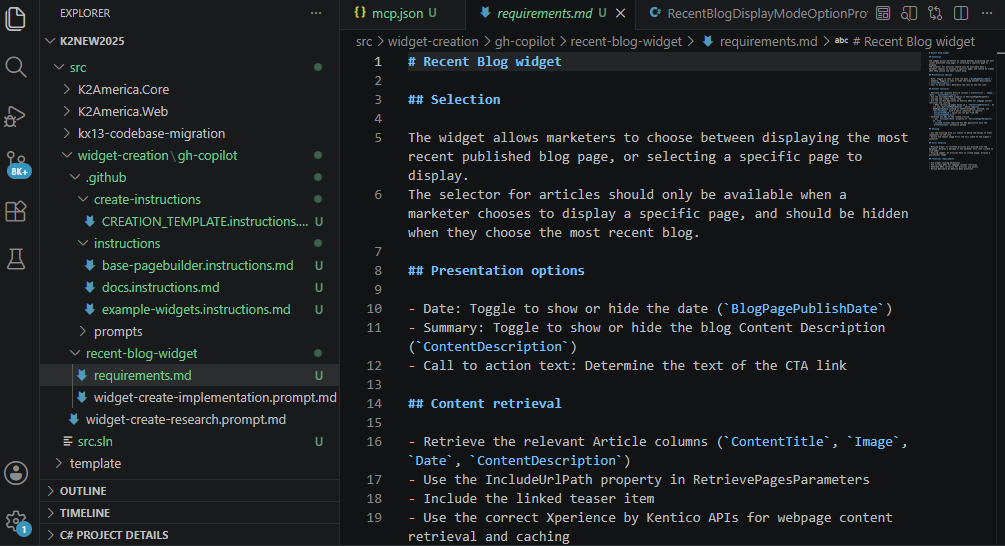
Step 3: Define Requirements
Create a structured requirements.md file in your project describing:
- Functional requirements
- Presentation options
- Content retrieval logic
- Technical constraints
- Error handling rules
Clear structure improves AI accuracy.
Step 4: Run Research Prompt
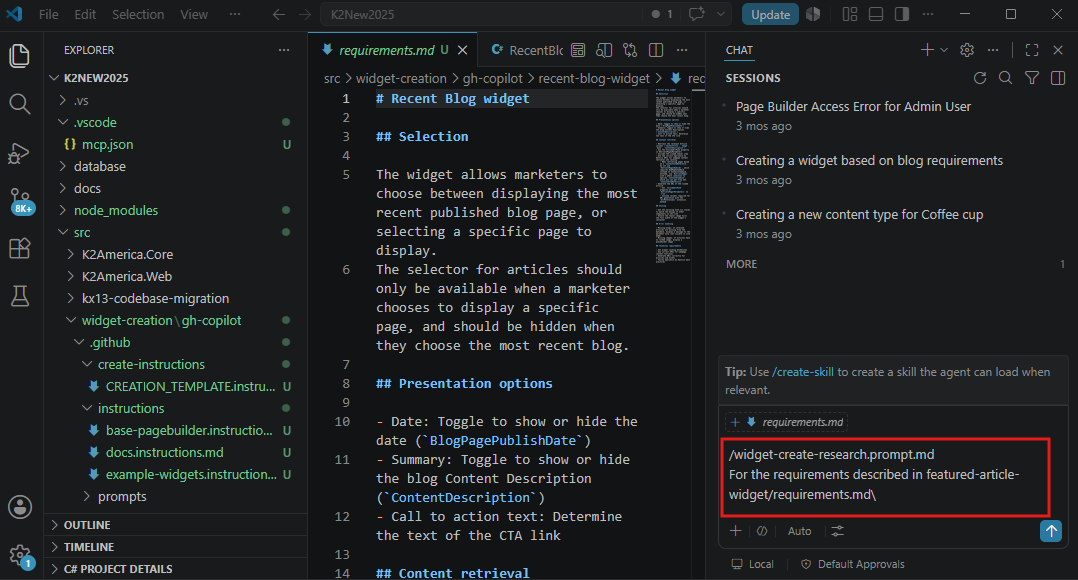
Use the research prompt (e.g., widget-create-research.prompt.md) to:
- Analyze architecture
- Identify required APIs
- Plan implementation
- Highlight risks
This acts as your technical design phase.
/widget-create-research.prompt.md
For the requirements described in featured-article-widget/requirements.md\
Step 5: Run Implementation Prompt
Use the implementation prompt (e.g., widget-create-implementation.prompt.md) to:
- Generate models
- Build components
- Implement content retrieval
- Apply caching
- Generate URLs correctly
- Integrate styling
/widget-create-implementation.prompt.md
Follow instructions in: CREATION.instructions.md

Step 6: Review and Validate
AI assists but you remain responsible for:
- Code validation
- Performance testing
- Security review
- Manual verification
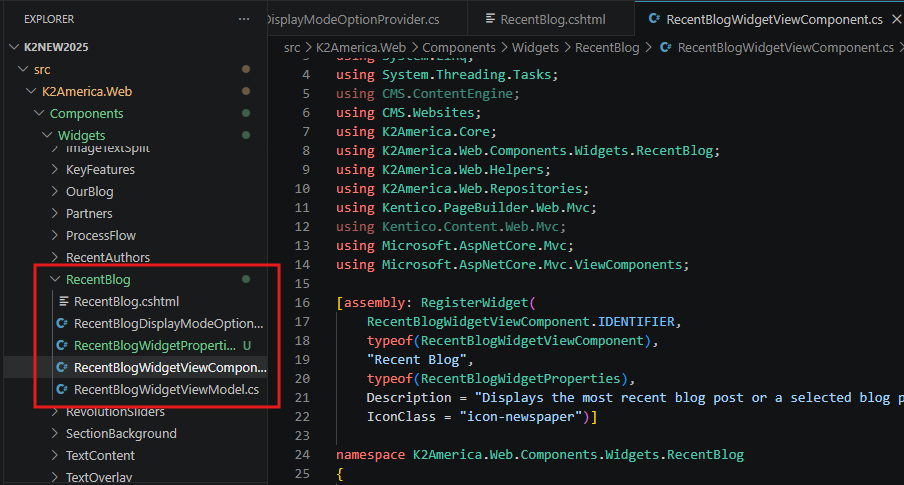
AI generated widget.
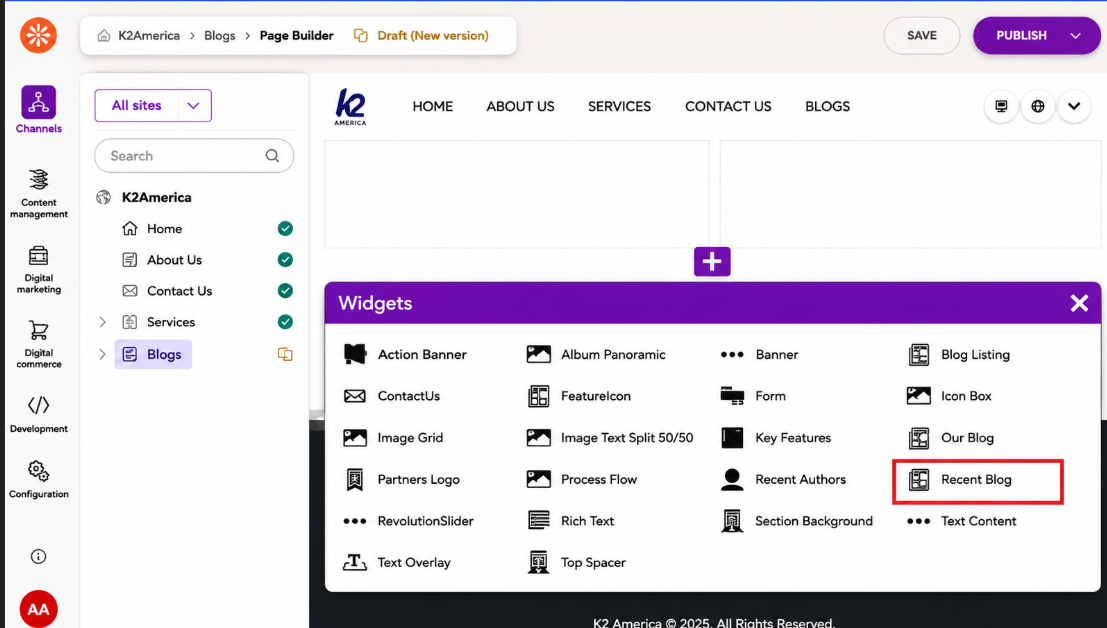
Step 7: Test in Page Builder
- Register the widget
- Add to Page Builder
- Validate toggles and options
- Verify content retrieval
- Confirm error handling behavior
Best Practices for Using KentiCopilot
- Provide structured and detailed requirements
- Specify technical constraints clearly
- Mention required APIs explicitly
- Validate generated output before deployment
- Use AI for scaffolding and acceleration not blind copy
Conclusion
KentiCopilot is more than a coding assistant.
It is:
- A productivity accelerator
- A modernization enabler
- A best-practice reinforcement system
- A learning platform for AI-assisted development
For developers working with Xperience by Kentico, KentiCopilot reduces friction, accelerates delivery, and improves overall solution quality helping you become an AI-ready developer in a modern digital experience landscape.

 by Sukhveer Kaur